 0 800 335 278
Product Advertising: types and examples
 08.02.2024
Tenders and partnerships
team@comon.agencySales department
sales@comon.agency


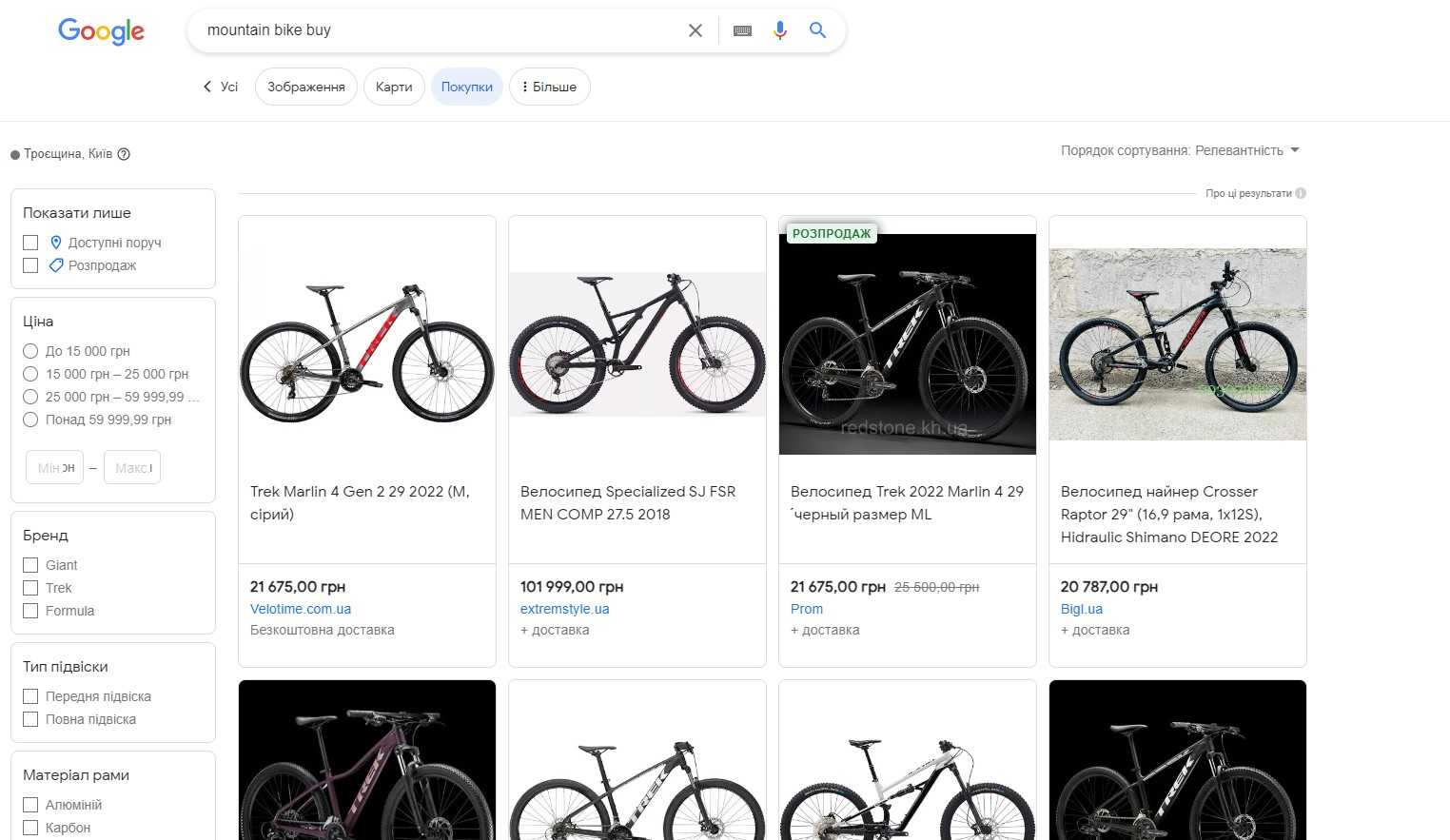
Spring is ahead, and you want to buy a new bicycle. You start looking for a suitable option, go to Google, and enter the phrase “buy a mountain bike” in the search. Numerous different advertising blocks with the product you are interested in appear on your computer screen. You see images of bicycles, prices, and also the names of stores where they can be purchased. And there is a high likelihood that you will click on one of these advertisements to learn more about the information. As you understand, these advertisements are product advertising — an effective tool for promoting goods on the Internet.
In this article we will talk about the different types of product advertising, their advantages, how and where to set up advertisements, and who cannot do without this type of promotion on the network.

Product advertising is an effective tool for quickly increasing sales of a specific product on Google. Google Shopping’s product ads include the name, price, photo, discounts, delivery terms of the product, and more. This type of advertising is displayed as follows:
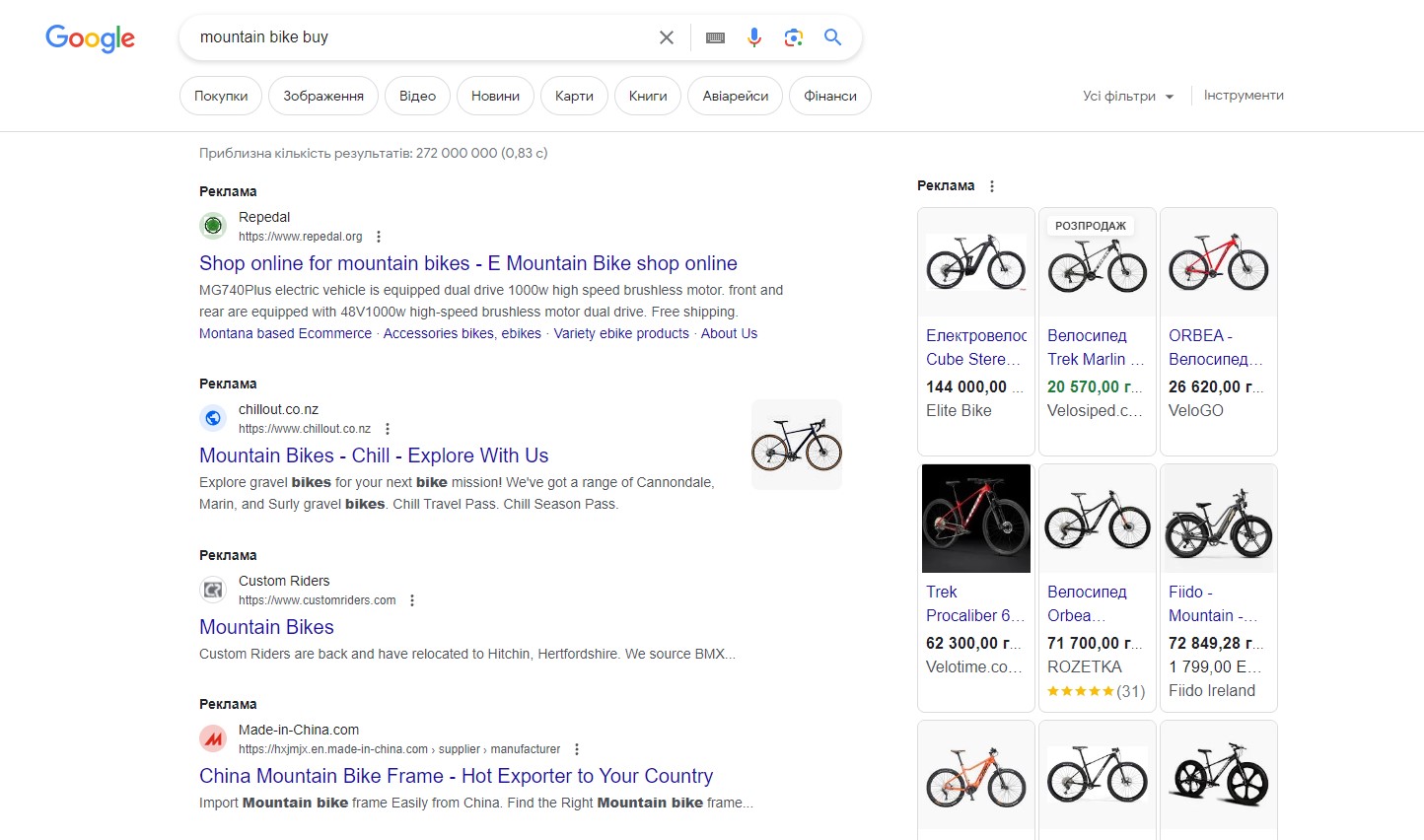
In Ukraine, 70% of all online business sales come from Google advertising. Within this massive share, Google Shopping ads account for a whopping 40-60%. Moreover, the return on investment for product ads is approximately 200% higher than that of standard advertising campaigns.
Therefore, it is clear that this promotional tool has many advantages:
Product advertising in Google Ads allows competing companies, websites, and online stores to vie for the attention of potential customers by using various offers and calls to action. There are several types of such advertising:
Contextual advertising operates on a Pay Per Click (PPC) model. This means that payment is made at the moment when a potential customer clicks on your ad to visit the site for making a purchase. Such advertisements are usually seen by the user in the search engine query line. For example, if you search for cat food, you would see this type of advertising on Google:

You will see this advertisement because you entered a key phrase (in this case, “cat food”) into the search, which the advertising campaign is targeted at. Contextual advertising is quite effective, safe, and convenient for many large online businesses. The top spot in search results is given to advertisers who set the highest price per click.
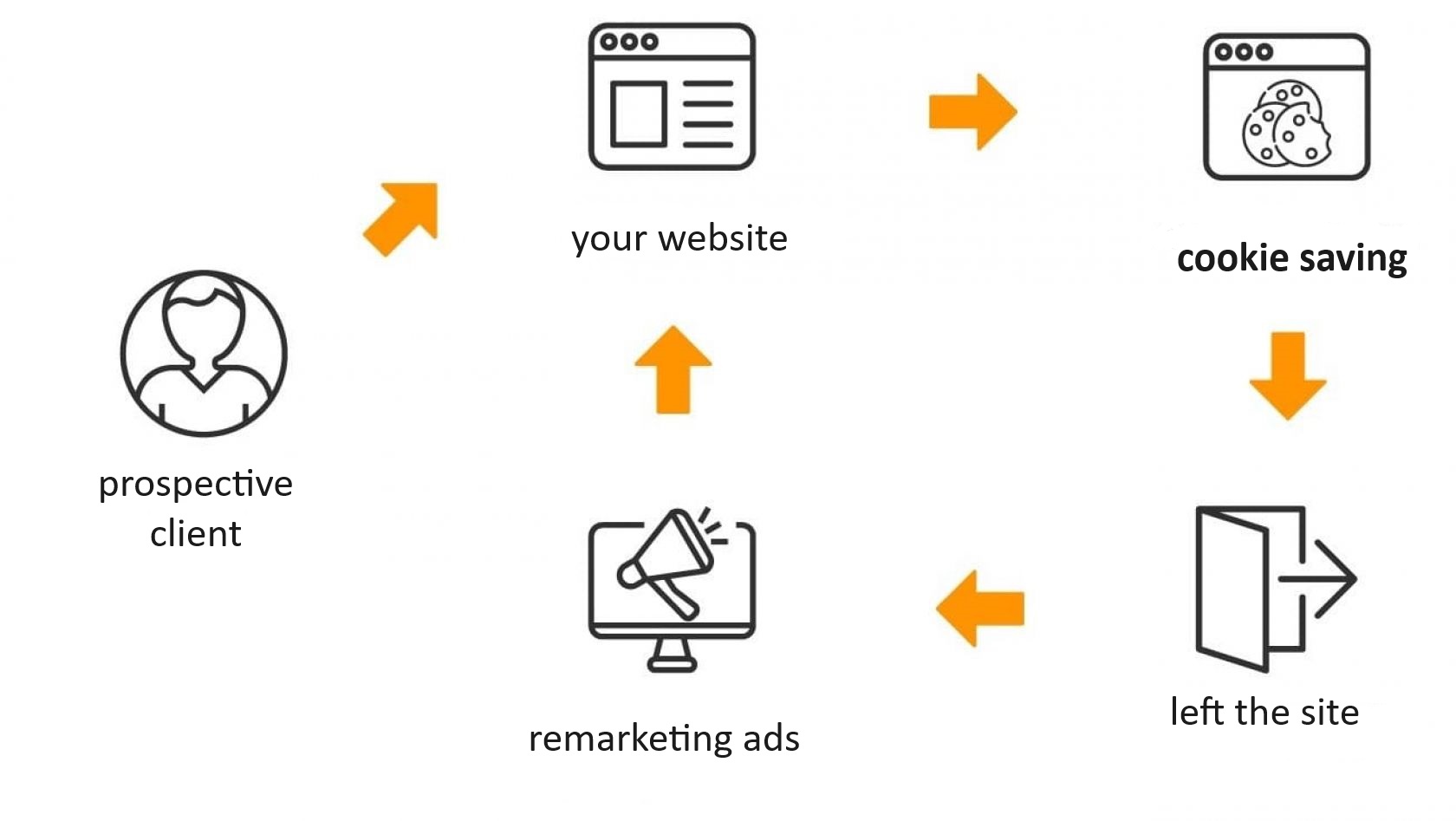
Remarketing is a method in marketing strategy aimed at re-attracting the attention of potential customers who have previously shown interest in a product or service but did not make a purchase.
Classic remarketing is the process of bringing website visitors back to make a purchase by showing them targeted ads on other websites or platforms after they have left the original resource. For example, a customer enters the ROZETKA marketplace site, adds a product to the cart and leaves. After some time, through remarketing algorithms, the online store will remind them of their unfinished purchase by directing them to the site. This, in turn, increases the likelihood of the potential customer making a purchase.
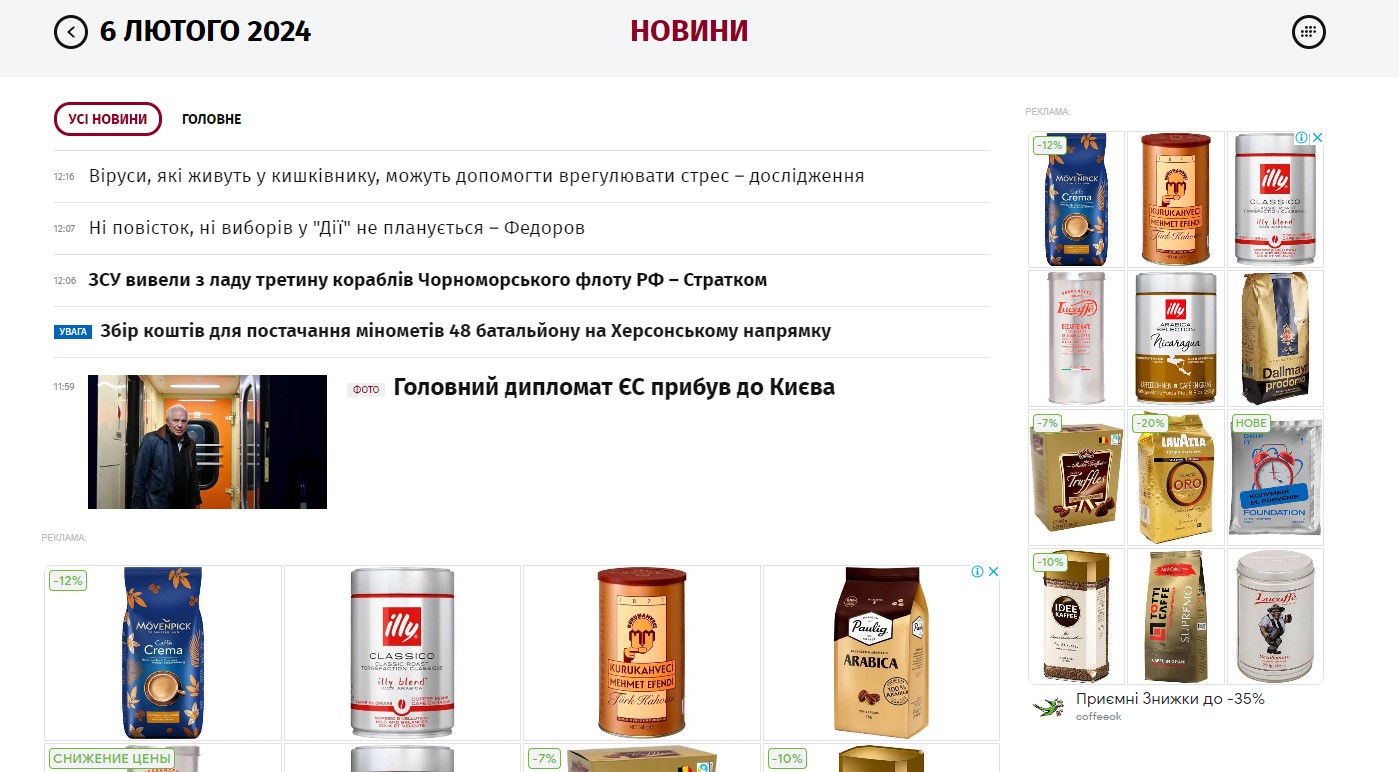
Dynamic remarketing is an “enhanced version” of the classic one. For example, if a person visited a natural tea and coffee online store and was interested in the “Arabica from Ecuador” variety, then after some time, they will see an advertising banner of this site on a news resource.
Banner (media) advertising is placed on banners and other visual media. This type of advertising focuses on attracting not individual, but general attention of internet users. Its main goal is to increase the level of product recognition, brand or trademark. Quite often, such banners also inform users about discounts and promotional offers, special events, etc.
Banner advertising comes in various formats and is used in a wide range of contexts. For example, these can be horizontal banners at the top of a website page or vertical banners on the sides of the page. It can also appear in the form of pop-up windows (pop-art banners) that appear over the website’s content. In social networks (Social Media Advertising), such banners are usually integrated into the news feed and can be targeted to specific demographic groups.

Payment for media advertising is typically based on the number of impressions or the duration of the broadcast.
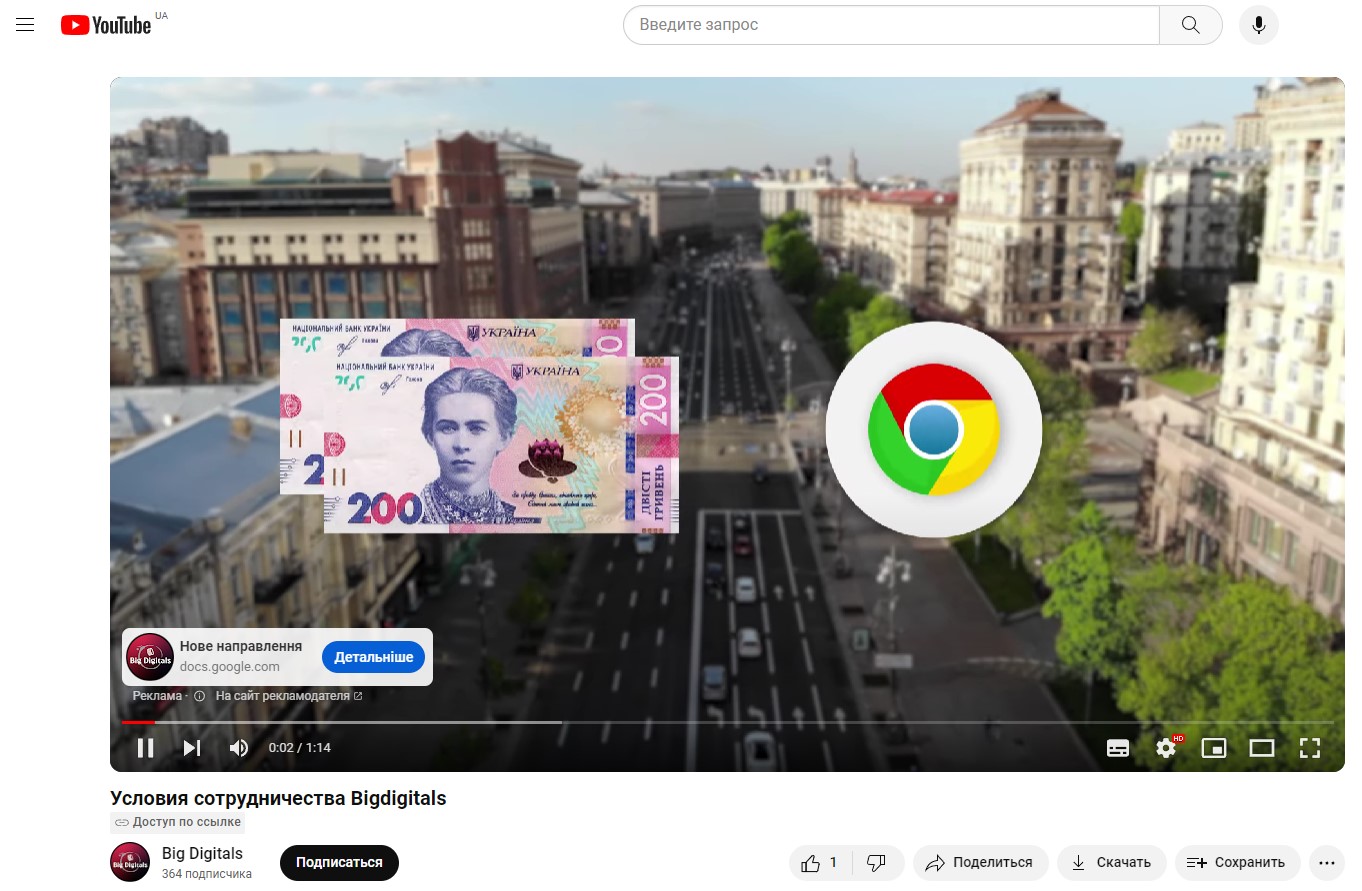
Video advertising is a method of promoting products and increasing sales through video. This tool also helps companies attract new customers and strengthen the positive reputation of their brand. Video advertising can be implemented in various formats and on different platforms, for example:
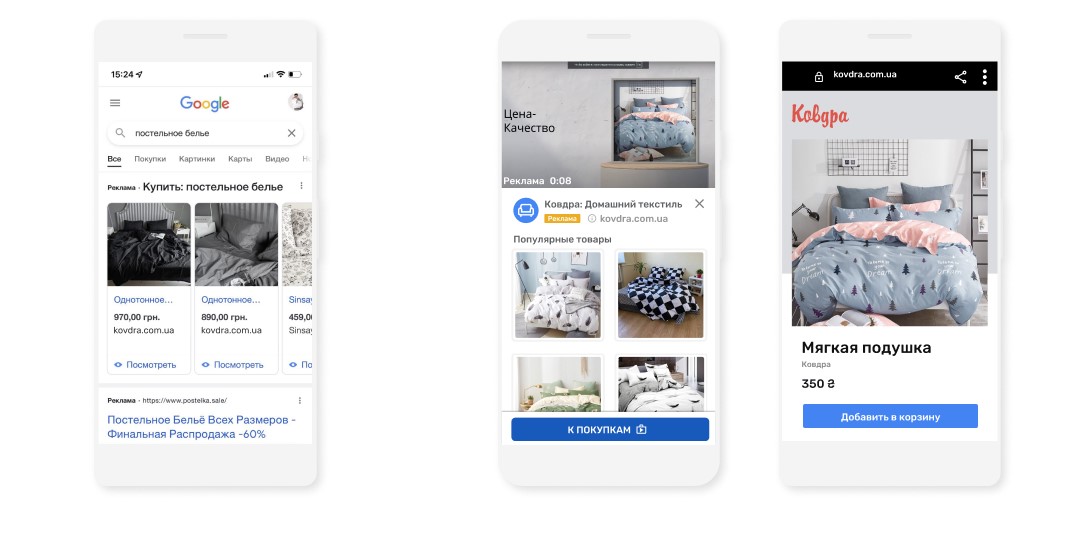
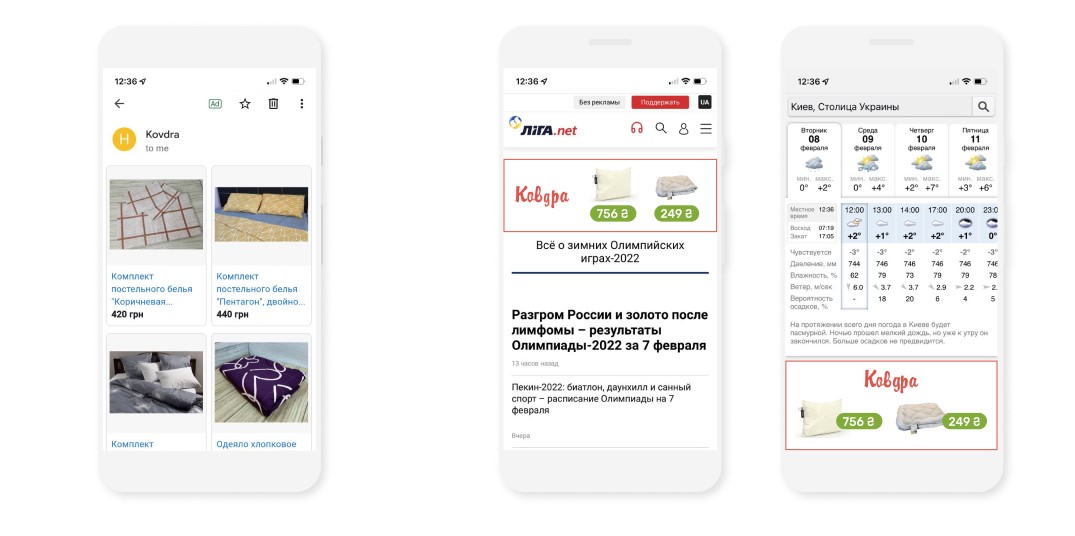
Google Shopping internet advertising consists of visually appealing ads with photos of products, prices, and names, displayed in Google search results. These ads (product cards) can appear at the top or side of search results, or in the “Shopping” section. The ads may also show product availability in nearby stores.
This is how the ads appear in search results and on YouTube:
And this is how they appear in Gmail and on news and weather websites:
Product advertising is a multifunctional tool that can significantly improve business performance and strengthen a brand’s market position.

The key objectives of product advertising include:
The working principle of this tool is as follows. When a user searches for a specific product online and enters a particular query in Google, the search results display a block with offers from sellers.
These advertisements are displayed in several places:
Additionally, products are displayed for free in the “Shopping” tab. Directly in the browser, the user can view the offers of interest, and upon finding the most suitable product, proceed to the page with detailed information and the option to make a purchase. To set up Google Shopping, you will need accounts in Google Merchant Center and Google Ads.
Before configuring advertising, it is important to study the rules of using these services, as the system does not accept all products and websites.
To create advertising nowadays, various platforms can be effectively utilized, namely:
The choice of platform for product advertising depends on several factors, such as the target audience, budget, and business goals.
Facebook allows you to customize advertising based on criteria such as age, gender, interests and preferences, behavior, income level, and more. Influencer advertising and using stylish images on Instagram can significantly improve brand recognition. As for LinkedIn, it’s an excellent choice for B2B advertising, as it provides access to professionals and companies interested in specialized products and services.
Google Ads is an effective tool for driving traffic to a website. By using keywords, you can rank in the top search queries, offering services and products to users who are actively searching for them at that moment. Amazon Advertising offers the opportunity to place ads directly on the Amazon platform, increasing the chances of product views and purchases. AliExpress is a great choice for international trade, allowing you to reach a vast audience in different countries.
Quality video advertising and collaborations with bloggers can also attract more attention to a specific product or service. Additionally, YouTube offers the ability to set up targeted advertising based on user interests and viewing history. Email marketing (sending personalized product offers) helps retain customers and increase their loyalty to the brand.
It’s important to note that for enhanced advertising effectiveness, it’s best to use a combination of several channels and an integrated approach.
Setting up product advertising in Google Shopping is a process that involves registering and configuring Google Merchant Center, creating and setting up an automatically updated data feed about products, and moderation. Setting up advertising is not a one-time action, but a continuous process that directly affects the volume of attracted sales, and as a result, the success of the business. This process requires attention to detail, creative approach, and analytical skills. Let’s break it down step by step.
Choosing an Advertising Platform
The key to choosing the right advertising platform is understanding the target audience. For instance, if your audience is active on social networks, then Instagram and Facebook would be excellent choices. For the B2B market, LinkedIn, offering more specialized opportunities, would be better. The platform choice should also consider the budget and goals of the advertising campaign.
Creating an Advertisement
For visual platforms, it’s important to use high-quality images and videos when creating content. For text ads, attractive headlines and compelling descriptions are essential. Your message should clearly express the value of your product. Why is your product better than competitors? What problem does it solve?
Targeting
It’s necessary to set up the advertisement for a specific age group, gender, and geographical location. Additionally, for more precise targeting, you can use data on users’ interests and behavior.
Optimization
To see which version of the advertisement works best, it’s advisable to regularly conduct testing and compare ads. Also, for an objective assessment of advertising effectiveness, it’s important to track metrics like click-through rate, conversion rate, and ROI. Furthermore, to improve the advertising campaign, you should use customer feedback, stay informed about the latest trends in digital marketing, and accordingly adapt your strategies.
Before launching product advertising, it’s important to ensure the website is ready. For effective advertising with Google, it’s crucial to follow certain rules:
Understand that ignoring even one of these rules can result in the company’s advertising budget being spent without yielding the expected results.
After preparing the website, you can move on to setting up the advertising directly, following the step-by-step guide provided below.
The first thing to do is to create an account in Merchant Center (a tool for uploading data about your store, brand, and product range).
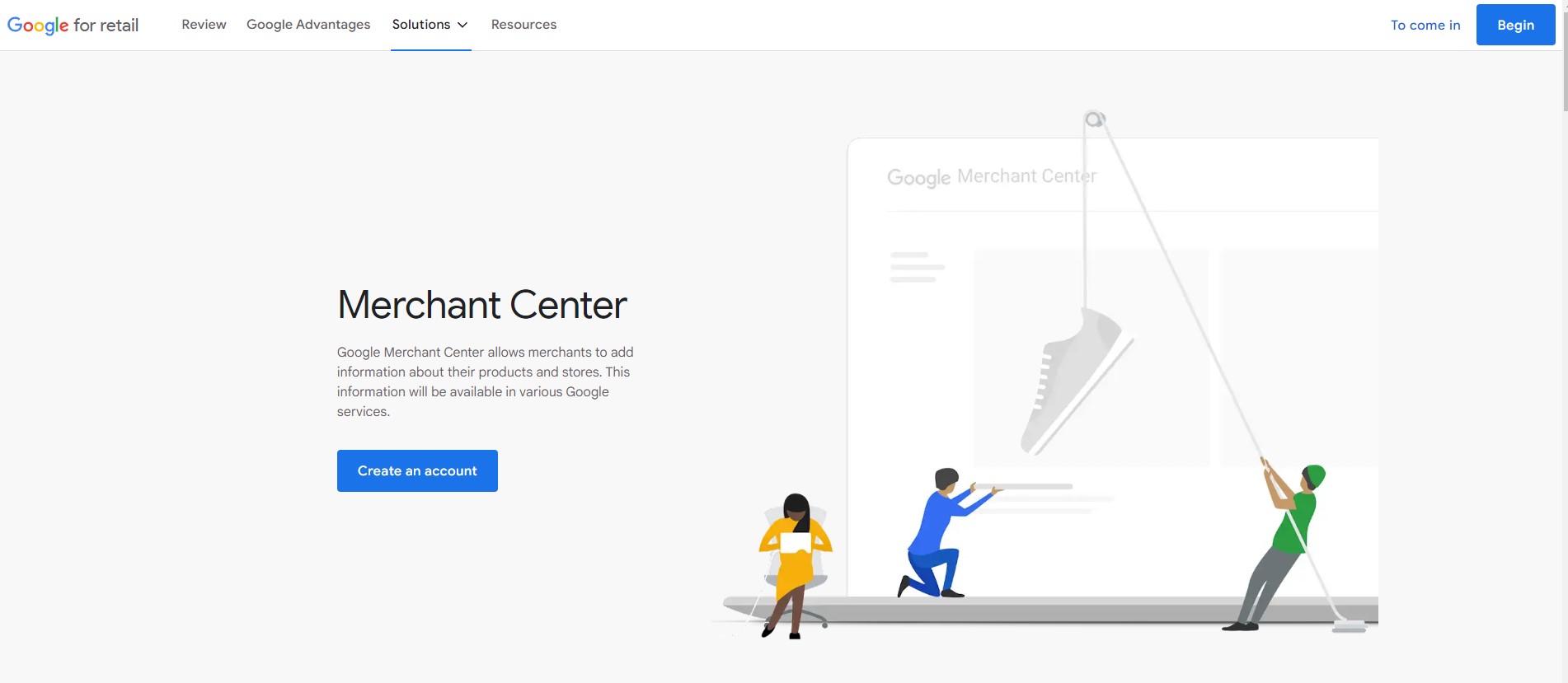
The first thing to do is to create an account in Merchant Center (a tool for uploading data about your store, brand, and product range). It allows you to provide this data on Google Shopping and other Google services. Once on the page, click the “Create Account” button, then thoroughly tell Google about your company and accept the terms of use. You will receive an email from Google with a link to confirm your account. By following this link, you can log into Merchant Center using your account.
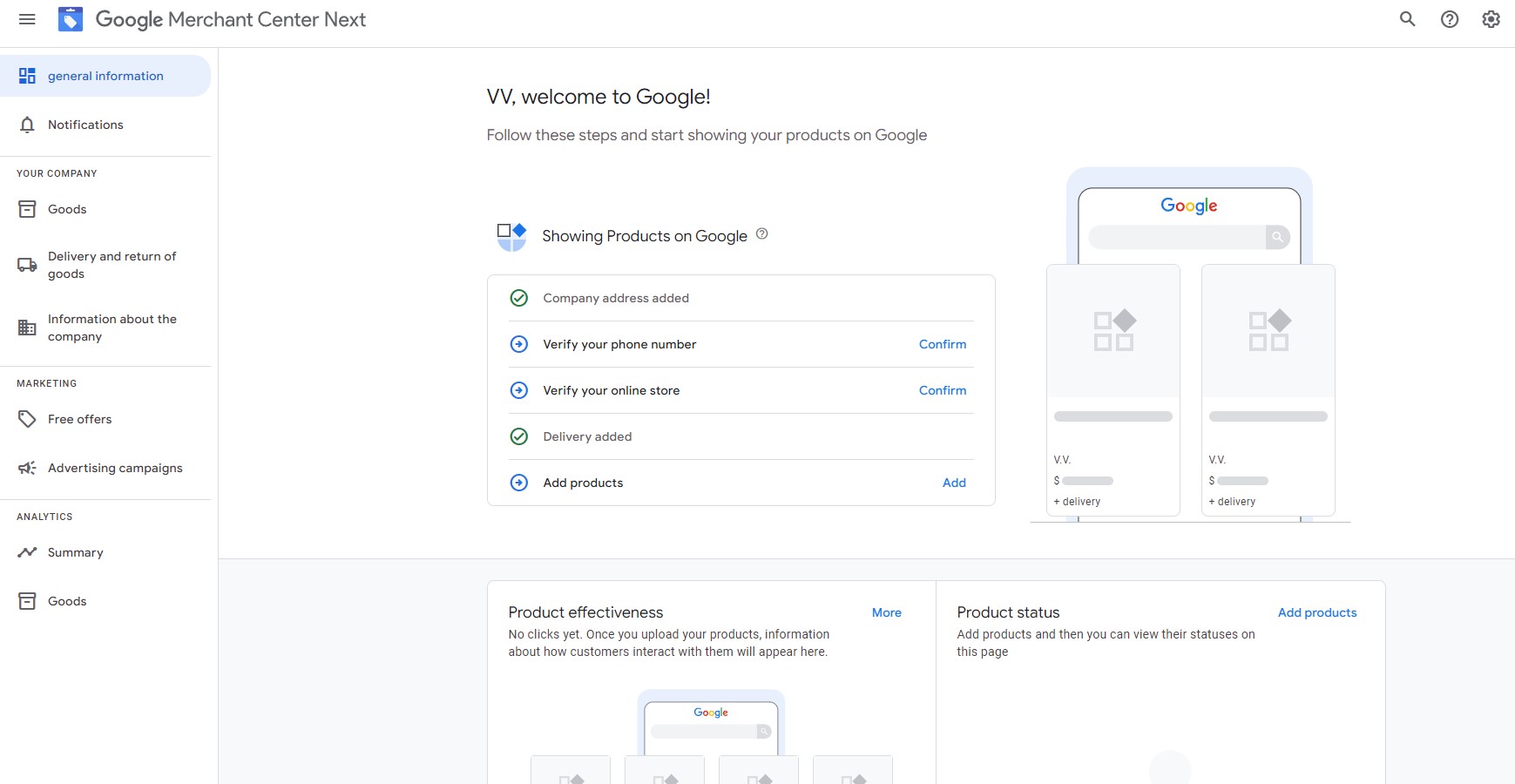
You need to enter your company name, provide a link to your website, choose the country of brand registration, and specify the product category. Then, it’s necessary to provide information about product delivery methods and return policies.
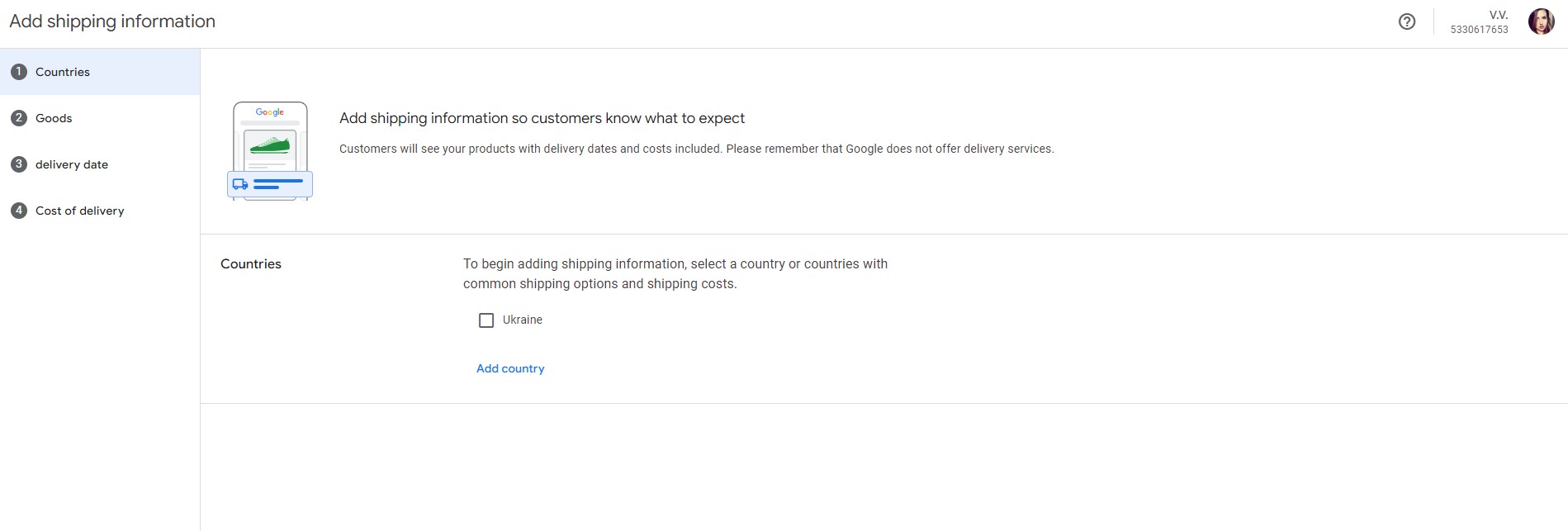
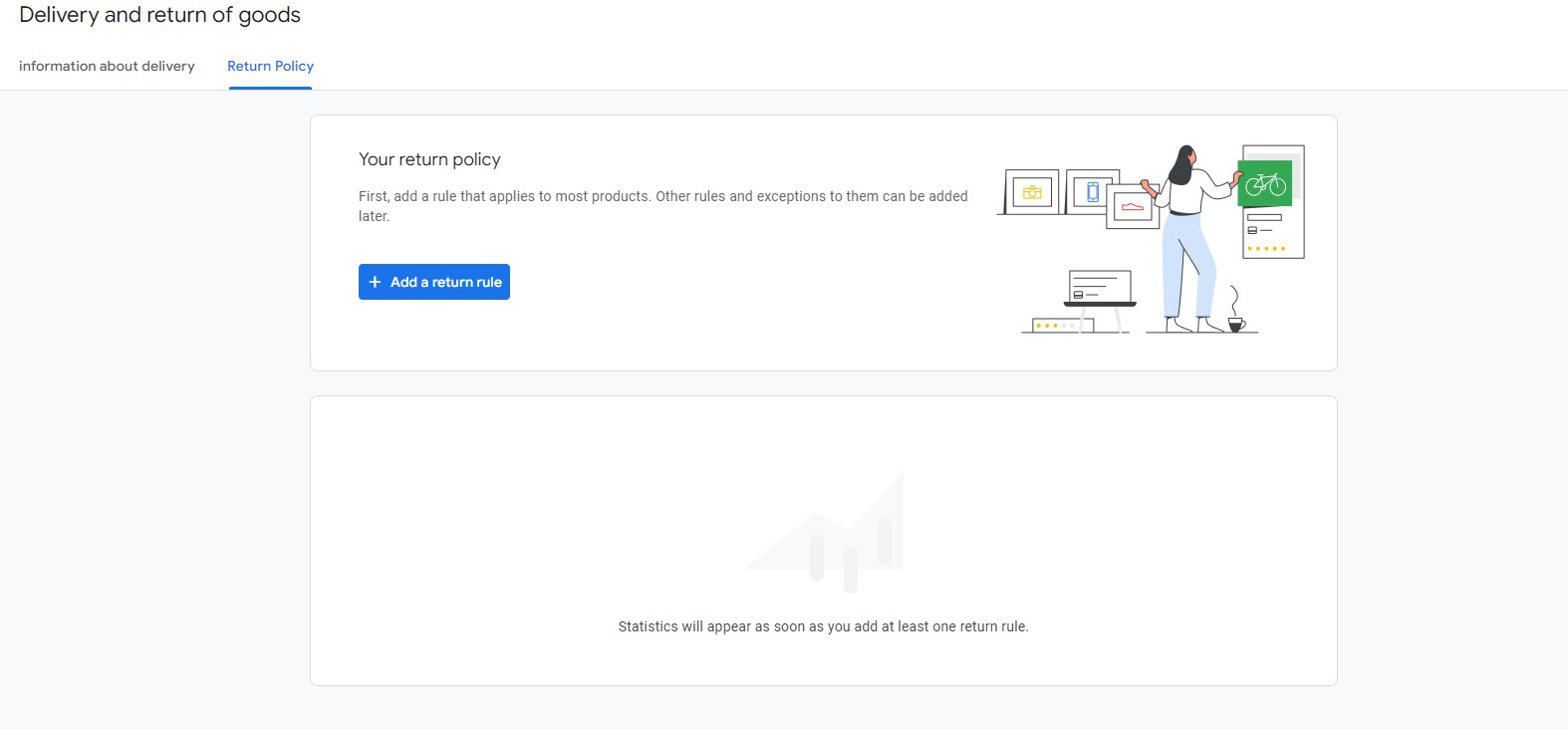
Next, fill in the following mandatory fields.
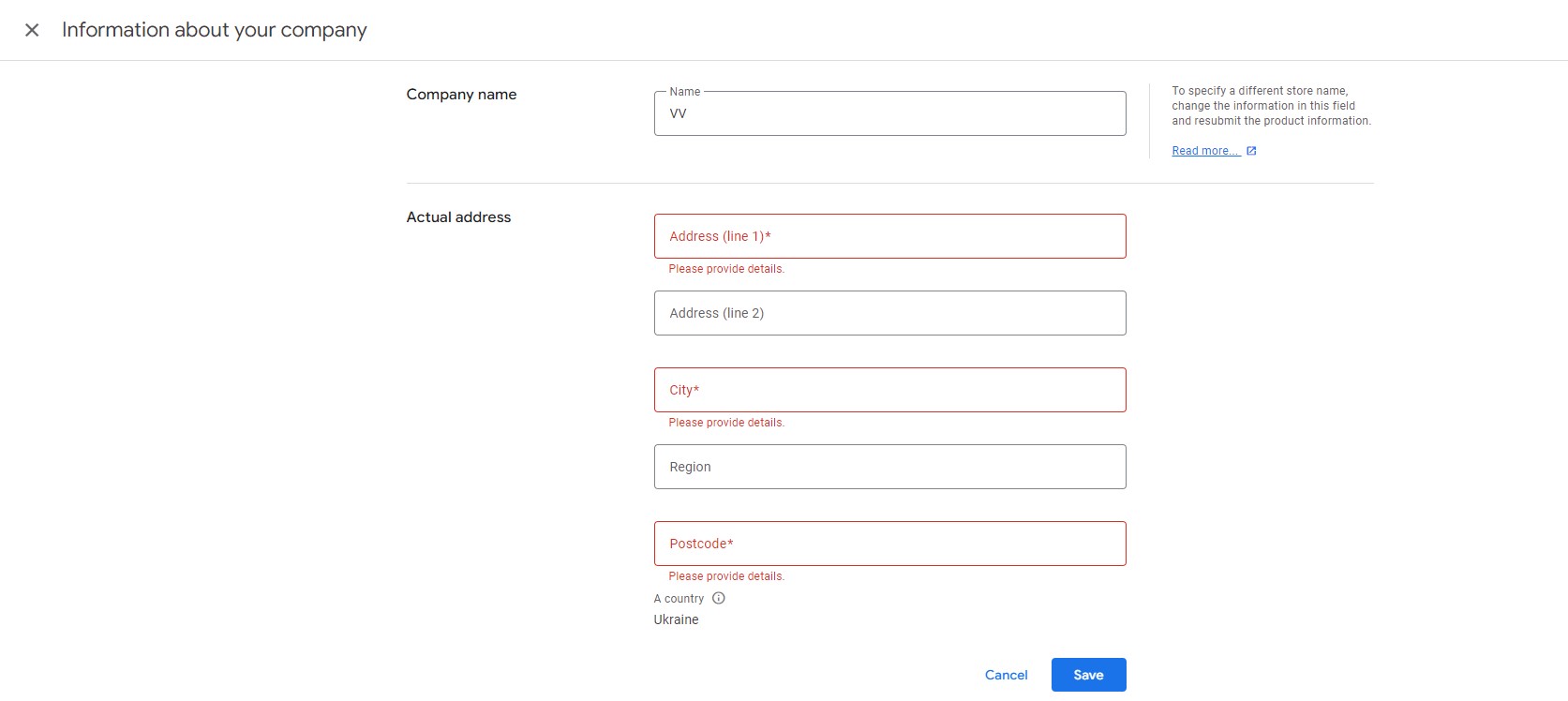
The final step in setting up in Merchant Center is to indicate your website address and verify it. You can use one of the suggested methods for this^
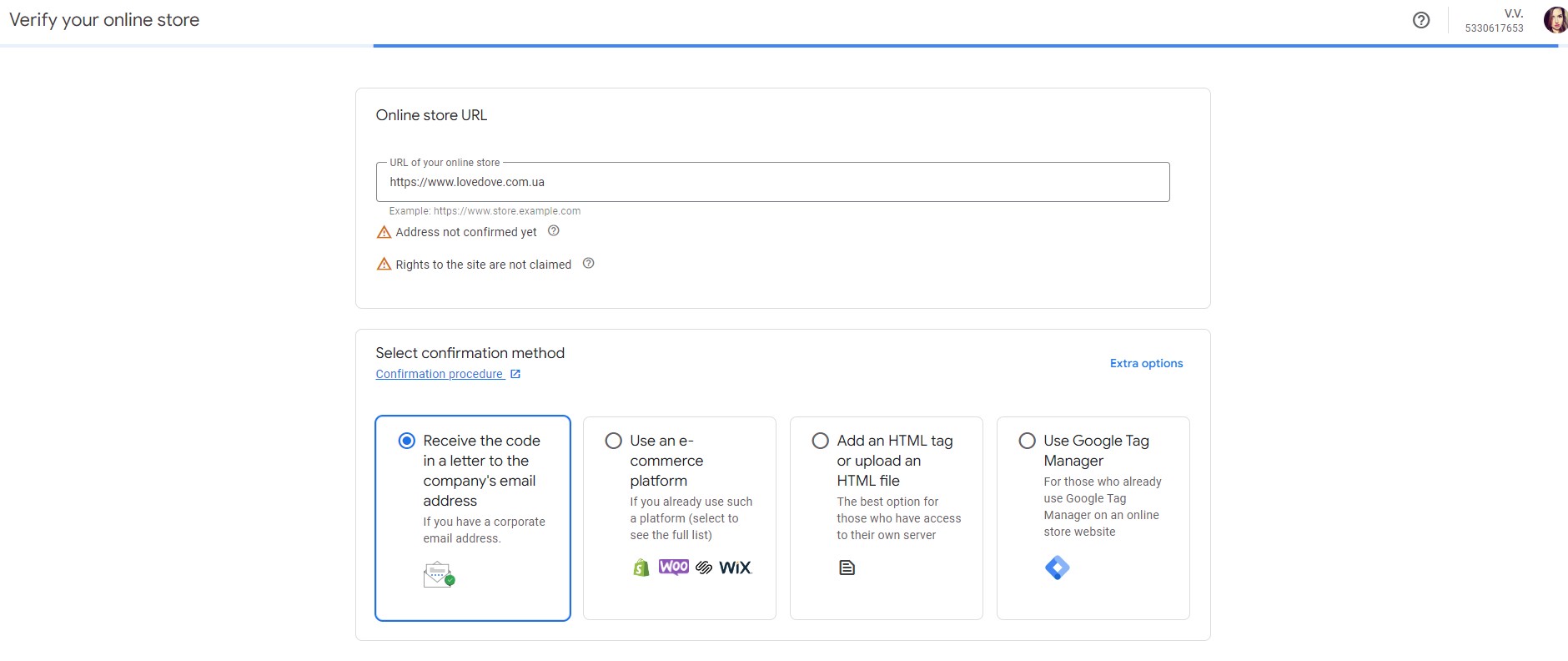
To manage advertising campaigns, you need to link your account with Merchant Center. If you use the same email address, the synchronization will happen automatically. If not, you will need to link the accounts manually.
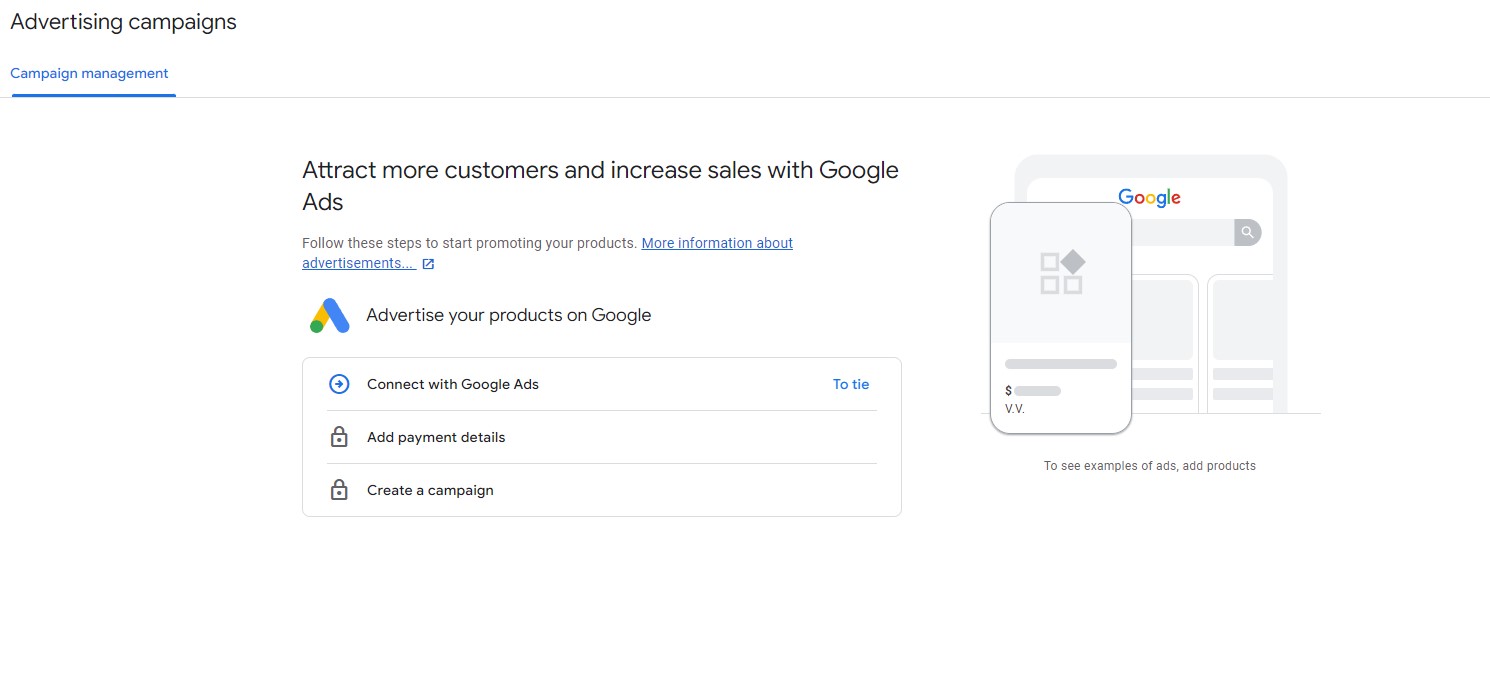
Then select the option “Create a campaign”. Specify the country where the products will be sold. After that, determine the bidding strategy. It’s better to choose manual settings, so you can later optimize the campaign and set specific prices for each ad. When setting up bids, it’s recommended to set a daily budget based on the cost that is expected to generate significant profit from sales. If desired, you can perform more detailed settings for ad displays, considering device types and users’ geographical locations.
Next, proceed to create ad groups. Enter the name for each group and set the corresponding bid. After saving the settings, complete the process. It’s also worth including negative keywords (exclude unnecessary phrases from ad displays) to eliminate irrelevant traffic. There’s no need to create ads manually – they are automatically generated based on the data from the feed.
Having completed the setup, it’s important to focus on continuous improvement of product ads for effective sales and achieving a profitable cost per click. For optimizing shopping campaigns, you should:
Additionally, for simplifying optimization and improving results, you can use smart shopping campaigns.
Google product advertising is suitable for various businesses:

It is best to advertise simple items that people frequently buy, such as clothing, footwear, accessories, phones. That is, products that can be purchased quickly and without much deliberation (for example, going out for bread but also stopping by a boutique to buy jeans). However, this type of advertising may not work for complex products that usually require long decision-making and consultation with specialists before purchase. Therefore, it’s better not to advertise complex, hard-to-understand products in this way.
Most simple product categories are successfully implemented through Google Shopping. However, to ensure that an advertising campaign yields good results, it’s important to approach its execution intelligently. This means thoroughly and competently preparing the website and correctly setting up the relevant services. It’s also crucial to develop an effective product feed. In principle, everything is simple. But in case of difficulties, experts in Google Shopping setup from the internet marketing agency Cómon Agency are always ready to provide their professional services.
We have successfully evolved from a few specialists to a team of professionals with valuable knowledge and rich, unique experience. That’s why today, even the most complex client tasks such as PPC services are brilliantly solved by the expert team at Cómon Agency.

Here’s how we work:
By turning to us, you will be convinced that your project will be implemented with maximum efficiency.
 05.06.2025
 05.04.2024
